Default. Auto-connects at home. Full control + uploads.
Bluetooth
B1+B3 hold 5s → pink. On-the-go + uploads. Restart for WiFi.
Pairing
B1+B2 hold 5s → cyan. First-time or new network.
Airplane
B1+Vol hold 3s. Amber glow → lights off. Repeat to exit: green glow → double flash.
Status Light
Cyan breathing
Ready to pair
Pink steady
Bluetooth mode
Green flash
Connected / success
Red blink
Error. Try again
Amber glow → fade
Airplane mode (see Connectivity)
Rainbow
Starting up / new content uploaded
Battery & Power
20+ hours per charge. Quick-press power to check:
Green
Good
Amber
Charge soon
Red
Low
On / Off
Hold power 1s
Your Feedback Matters
Send feedback the moment something comes to mind. While using the player, the app, when the kids play with it.
We’re on WhatsApp. Use it! Photos, screenshots, audio messages, videos. Anything that makes it clear.
Found a bug? Tell us what happened, what you were doing, and what the kid was doing. The more detail, the easier it is to reproduce from a distance.
Koobiba
Quick Start Guide
Interactive guide at koobiba.com/guide
This is a prototype. Your feedback shapes what comes next.
Flip to the back for how to share it.
Hello!
Thanks for helping shape Koobiba, a product that makes kids and parents happy, away from screens.
Screen-free audio player for ages 1+
No cards, no figurines. Managed by your app
Offline by design, plays without internet
Connects to your phone only when you choose
Works fully offline, even in airplane mode
This is a prototype. Things may not work perfectly, and your feedback helps us fix them
Let’s Get Started
WiFi setup. For Bluetooth, see Everyday Reference.
First, get the app:
Android
iPhone
1
Turn it on
Hold the power button for 1 second. You’ll hear a bird sound and see a rainbow light.
2
Enter pairing mode
Hold buttons 1 + 2 together for 5 seconds. The status light will breathe cyan.
3
Open the Koobiba app
Follow the in-app instructions to find your device.
4
Connect to your WiFi
Choose your home network and enter the password. Koobiba joins 2.4GHz WiFi only (not 5GHz), so if your router shows two networks, pick the 2.4GHz one.
5
Green flash, you’re in!
Press a button and play. Use the app to add your own music and stories.
Volume is safety-capped. Adjust the limit in the app.
Your Koobiba
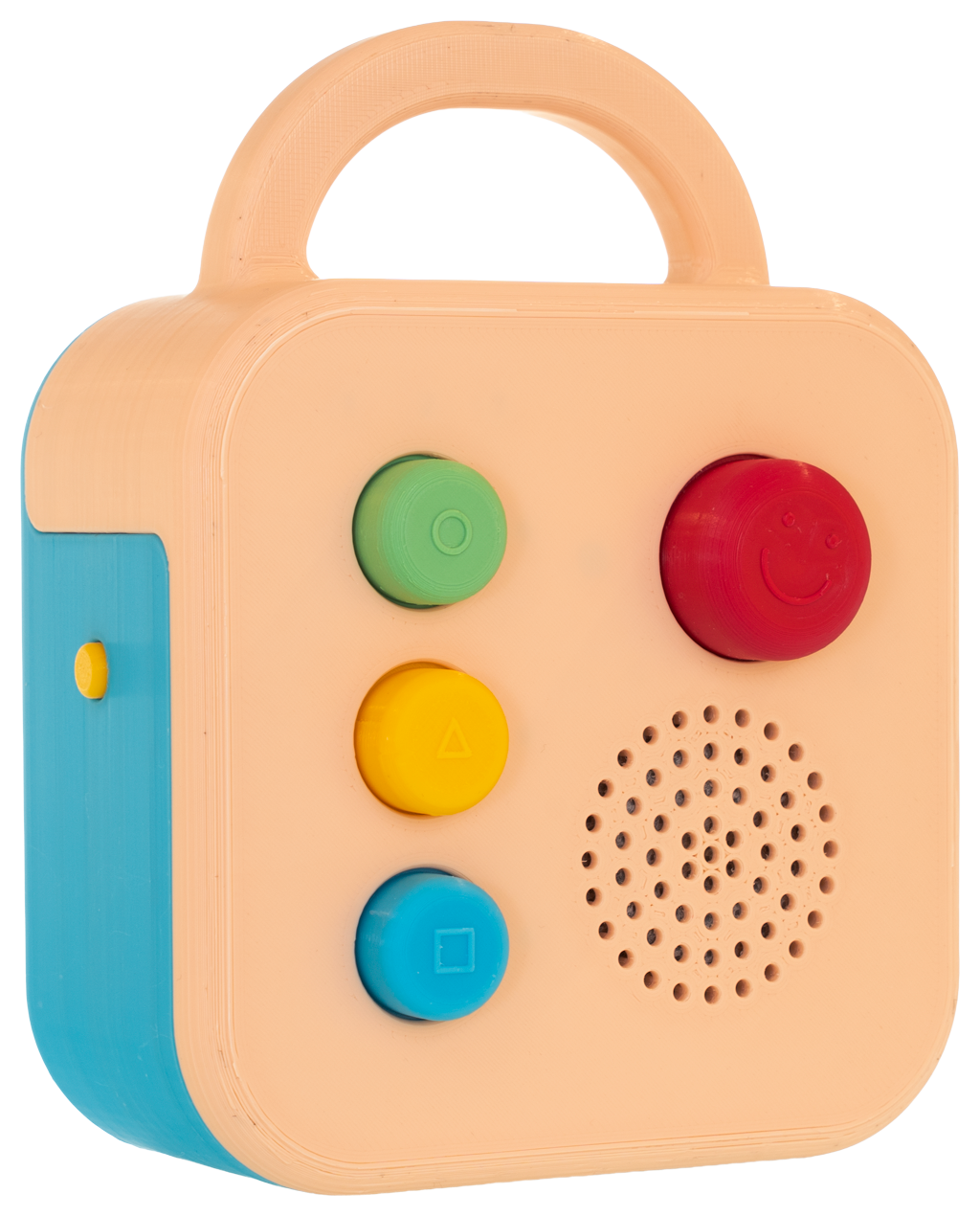
There’s no screen. The status light near the volume knob tells you what’s happening.
Dashed lines show lights behind the enclosure.
Koobiba is not a Bluetooth speaker. It plays its own content, fostering your child’s independent play.
How It Works
Each of the 3 colorful buttons plays a track or playlist you assign via the app.
Press to play. Press again to pause. Long press to stop and reset. Koobiba remembers where you paused, so pressing the button again carries on from there.
For playlists: press the volume knob for the next track. You can change what it does in the app.
Use the Set button to switch between 3 sets. Each set has 3 buttons, giving you 9 content slots total.
What’s on It
Koobiba ships with some default sounds so you can try it right away. This is mostly public domain content and will grow over time.
Upload your own recordings, MP3 files, or browse the Koobiba catalog (just getting started, so content is limited). You can even upload from a computer on the same network.
Tip: All this info is also available in the Help pages inside the app and the online guide at koobiba.com/guide.